
Be the brand customers see when they ask AI
We ship weekly. Sometimes daily. Here's the proof.

What is it?
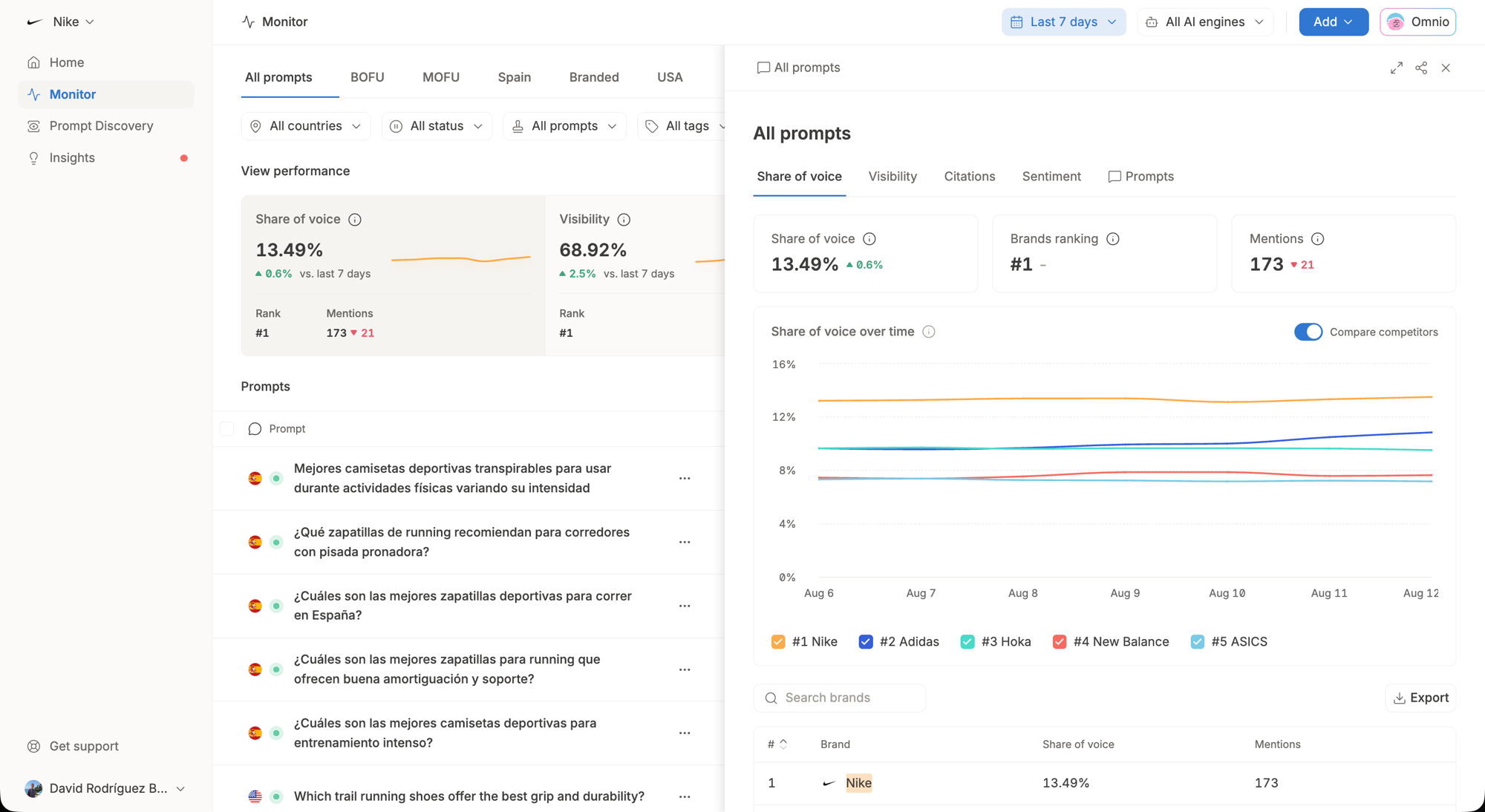
Brand Performance has left Home and now lives in Monitor, sitting directly above the prompts that produce the numbers. Monitor already had overview cards, but they were too simple to stand in for what Home gave you, so we rebuilt them.
Each card (Share of voice, Visibility, Citations and Sentiment) now shows the headline number, your rank, the number of mentions and a chart of the trend. When you want the full picture, click any card or the See all data button to expand the detailed view, where you can see the breakdown of where you stand against your competitors, exactly as you did on Home.
Why does it matter?
Everything you used to scan on Home is still there, one click away, and now it sits next to the prompts, views and filters that explain it. Now you can easily spot changes and dig into the prompts behind them directly on the same screen.
This is a big one.
What is it?
Omnio is your AI assistant inside Omnia, a teammate that runs your AI visibility work from end to end. It finds the prompts your buyers actually ask AI engines, diagnoses where you are losing citations, creates and places the content, does outreach to 3rd parties to get your brand mentioned on other domains, then measures whether your visibility moved and reports on it.
Why does it matter?
Until now, Omnia showed you where your brand stood in AI answers and how to improve it, but didn't act on it. Omnio closes the gap between knowing and doing, taking on the work one high-leverage move at a time so a small team can grow its AI visibility without growing headcount. You stay in control, approving everything before it goes live.
Read an in-depth walkthrough about Omnio from Miguel, our co-founder, here.
What is it?
Prompt Discovery turns your keywords into the real prompts your buyers type into AI engines. Drop in a keyword list or a Google Search Console export, and Omnia builds a clean, structured set of conversational prompts across your full funnel. No keywords to start with? Omnia can research your brand and category and suggest them for you.
Why does it matter?
AI engines read intent, not keywords, so your old keyword lists never showed you how buyers actually find you. Now you can see the exact conversations happening about your brand and know precisely which prompts to monitor, instead of guessing.
What is it?
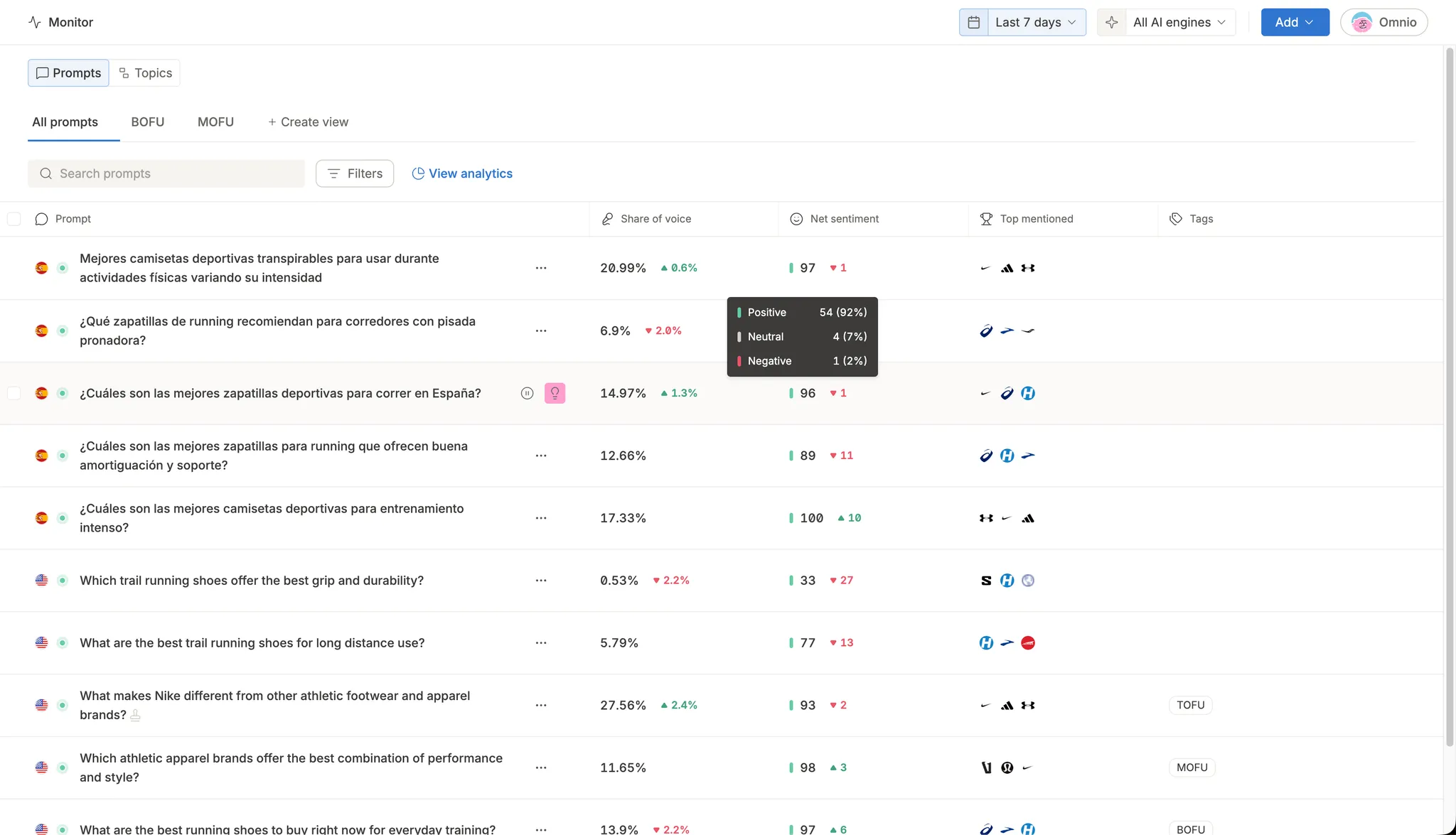
Net sentiment now shows up directly in your prompts and topics tables, and inside individual AI answer rows. Each row gives you a sentiment score, a trend arrow, and a hover breakdown of positive, neutral, and negative mentions, with sorting supported. The same data is available through the public API and MCP.
Why does it matter?
You no longer have to jump to the Sentiment tab to see how AI perceives your brand. Scan a whole table at a glance, sort by sentiment, and instantly spot which prompts, topics, and answers are working in your favor and which are not.
What is it?
You can now group your monitoring prompts into custom Views, by product line, campaign, funnel stage, or any way you choose, and see combined analytics for each group. Build a View from a tag and it updates itself. Any new prompt with that tag joins the group automatically.
Why does it matter?
Instead of reading prompts one by one, you see the share of voice and performance of an entire group at a glance. Focus on this week's priorities, follow a campaign from start to finish, or compare product lines side by side, without rebuilding the same filter every time.
What is it?
You can now monitor your brand across three new AI engines: Claude, Gemini, and Microsoft Copilot. That brings Omnia to 7 AI engines, alongside ChatGPT, Perplexity, Google AI Overviews, and Google AI Mode.
Why does it matter?
Your customers ask different AI assistants the same questions, and each one pulls from different sources. Seeing all 7 in one place shows you the full picture of where your brand gets cited, and where it doesn't. If there's an engine you need that isn't enabled yet, you can request it directly from the engine picker.
What is it?
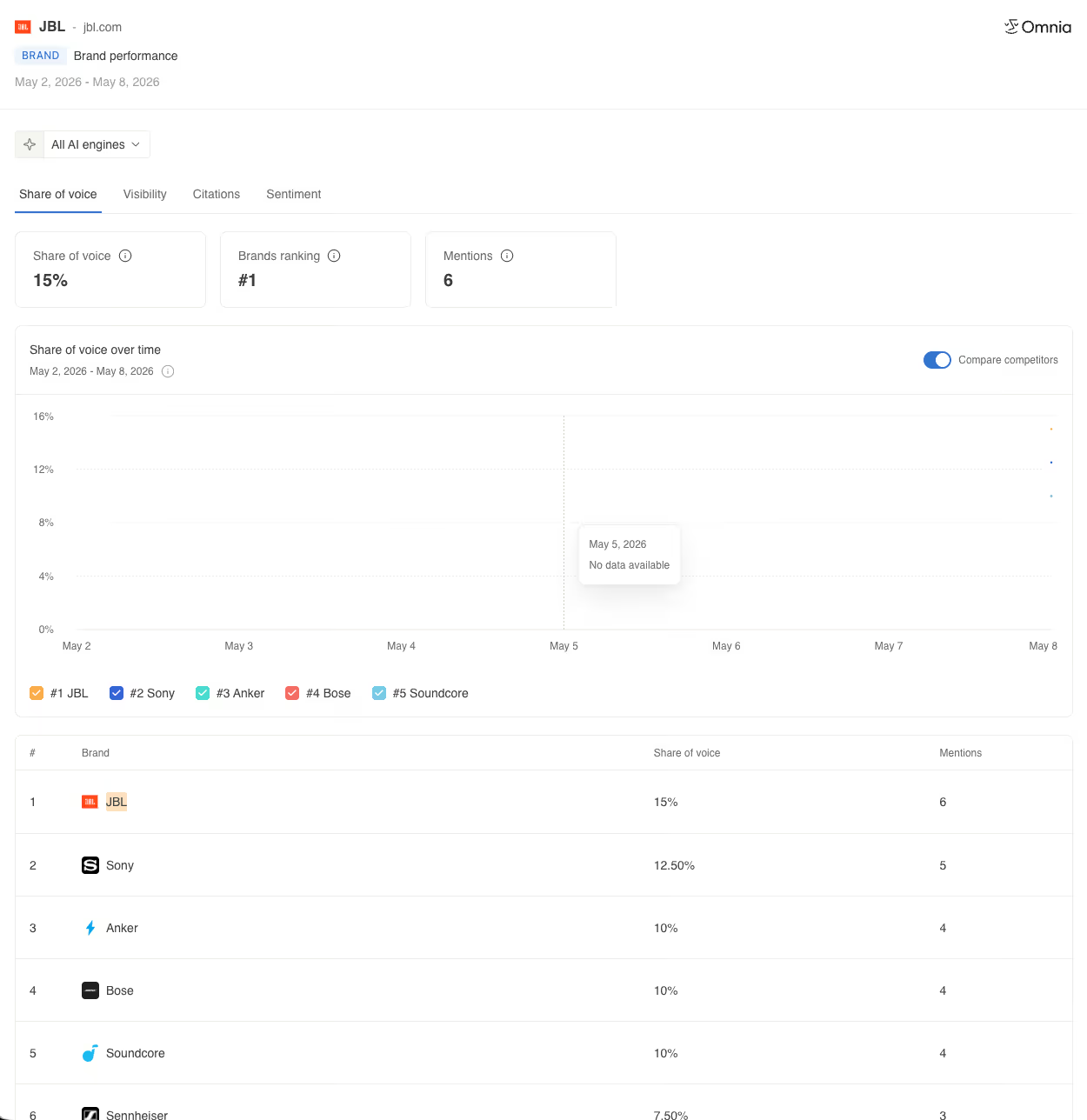
You can now share your brand performance straight from the Home view. Click the share buttom, get a public link, and send it to anyone. They'll see visibility, share of voice, citations, and sentiment, all filtered by AI engine. No login required.
Why does it matter?
Until now, you could share prompts and topics, but not the overall brand picture. Now you can send a CMO, a client, or an internal channel a link to the same view you use, without exporting screenshots or pulling them into Omnia.
What is it?
You can now select multiple AI engines in the Generate Insight dialog (Google AI Mode, AI Overviews, ChatGPT, Perplexity) and trigger all of them in a single click. Each engine runs independently with its own progress tracking. If one fails, the rest still complete.
Why does it matter?
Generating insights for 4 engines used to take 4 sequential rounds: select one engine, wait for it to finish, repeat. Now one click starts them all. The per-engine progress banners in the Insights tab let you track exactly where each run stands.
What is it?
Insights can now detect when AI engines are undermining your brand and hand you the fix. When the agent spots a lopsided sentiment ratio (say, 0 endorsed and 7 undermined mentions on a feature), it generates a brief with the content to publish, where to pitch it, and the angle that flips the ratio.
Why does it matter?
Positioning tells you whether AI talks about you. Sentiment tells you how it talks about you, and hands you the plan to change it. Being mentioned is not the same as being endorsed, and now you can fix both inside one system.
What is it?
You can now resize the columns in your monitor tables. Drag the edge of any column to make it wider or narrower, and shape each view around the prompts you actually care about.
Why does it matter?
Prompts are getting longer, and cramped columns make them painful to scan. Now every table bends to your workflow, so the details you need to see are always readable at a glance.